VPN Client Management
Add VPN clients for your team
Siovos allows you to create multiple VPN clients to give access to your infrastructure to different people or devices.
Access Client Management#
- Go to My Infrastructures
- Click on your infrastructure
- Open the VPN Clients tab
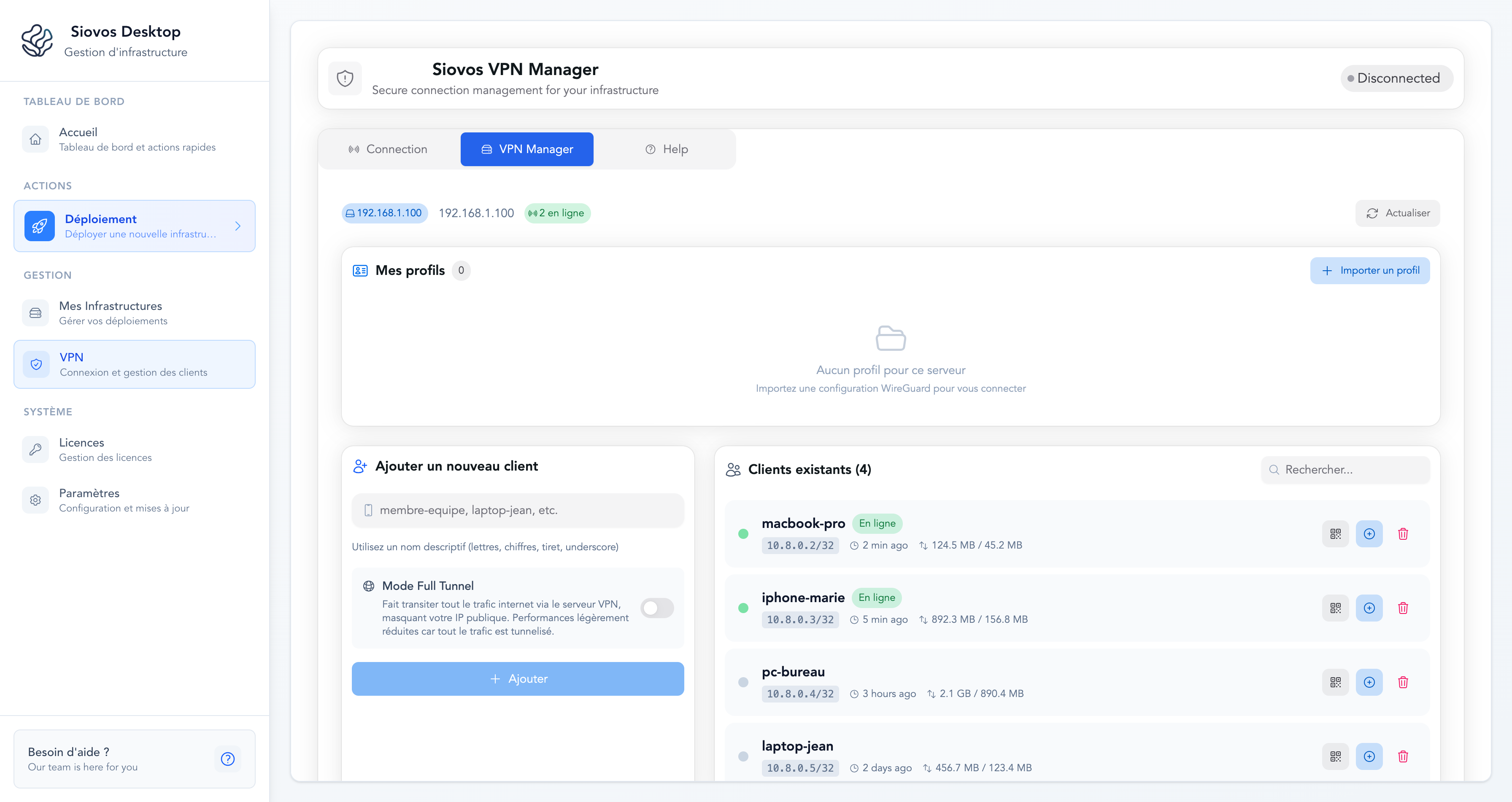
You'll see the list of all configured clients with their status (online/offline).
Add a New Client#
Click Add client and enter an identifying name (e.g., "MacBook Pro", "John's iPhone", "Office PC").
Siovos automatically generates:
- A unique VPN configuration
- An IP address in the private network
- Cryptographic keys
Full Tunnel Mode#
When creating a client, you can enable Full Tunnel Mode. This mode routes all internet traffic through the VPN server:
- Disabled (default) - Only traffic to your internal services goes through the VPN. Your internet browsing uses your regular connection.
- Enabled - All traffic goes through the server, including internet browsing. Your public IP address becomes the server's IP.
Full Tunnel Mode is useful if you need to mask your IP or access geo-restricted resources from the server's IP.
Share Access#
Via QR Code (mobile)#
For smartphones and tablets:
- Click on the client in the list
- Click Show QR Code
- Scan with a compatible VPN app on iOS or Android
The QR code contains the entire configuration. No need to copy files.
Via Configuration File (desktop)#
For computers:
- Click on the client in the list
- Click Download config
- Import the
.conffile into a compatible VPN client
View Statistics#
For each connected client, you can see:
- Status - Online or offline
- IP Address - The assigned IP in the private network
- Data received (RX) - Download volume
- Data sent (TX) - Upload volume
- Last handshake - Last activity
These stats update automatically.
Revoke a Client#
If a device is lost or a team member leaves:
- Find the client in the list
- Click Delete
- Confirm the deletion
The client is immediately disconnected and won't be able to reconnect.
Best Practices#
One client per device - Don't share the same configuration between multiple devices. Create a distinct client for each.
Name clearly - Use explicit names like "Marie's iPhone" rather than "Client 1".
Revoke old ones - Delete unused clients to keep a clean list.